http://www.itsyourip.com/cisco/how-to-configure-hsrp-in-cisco-ios-routers/
Thursday, November 11, 2010

Monday, November 08, 2010
Friday, November 05, 2010
NetApp multitenancy
NetApp’s MultiStore functionality allows storage partitioning for multiple tenants.
It supporst up to 130 vFiler instances (128 vFilers plus 2 vFiler0 instances) but only for NFS, CIFS, iSCSI, HTTP, and NDMP. Fibre Channel is not supported. You can only use Fibre Channel with vFiler0.
More info:
http://blog.scottlowe.org/2009/04/08/3010-a-multistore-primer/
It supporst up to 130 vFiler instances (128 vFilers plus 2 vFiler0 instances) but only for NFS, CIFS, iSCSI, HTTP, and NDMP. Fibre Channel is not supported. You can only use Fibre Channel with vFiler0.
More info:
http://blog.scottlowe.org/2009/04/08/3010-a-multistore-primer/
Friday, October 29, 2010
VCAP-DCA and VCAP-DCD Live Lab Tutorials
http://www.linkedin.com/news?viewArticle=&articleID=239190681&gid=51214&type=news&item=239190681&articleURL=http%3A%2F%2Fwww.ntpro.nl%2Fblog%2Farchives%2F1628-VCAP-DCA-Live-Lab-Tutorial.html&urlhash=2XoB&goback=.gde_51214_news_239190681

VMware has released the VCAP-DCA and VCAP-DCD Live Lab Tutorials which can help you prepare for the actual exam.
The VCAP4-DCA is directed toward System Administrators, Consultants and Technical Support Engineers who can demonstrate their skills in VMware vSphere and VMware vCenter technologies in relation to the datacenter, as well as their knowledge of application and physical-infrastructure services and their integration with the virtual infrastructure.
http://mylearn.vmware.com/courseware/82526/VCAPDCA_Tutorial.swf
The VCAP-DCD is directed toward IT Architects and Consulting Architects who are capable of designing VMware solutions in a multi-site, large enterprise environment. They have a deep understanding both of VMware core components and their relation to storage and networking, and also of datacenter design methodologies. They also possess knowledge of applications and physical infrastructure, as well as their relationship to the virtual infrastructure.
http://mylearn.vmware.com/courseware/82525/VCAPDCD_Tutorial.swf
VCAP-DCA and VCAP-DCD Live Lab Tutorials
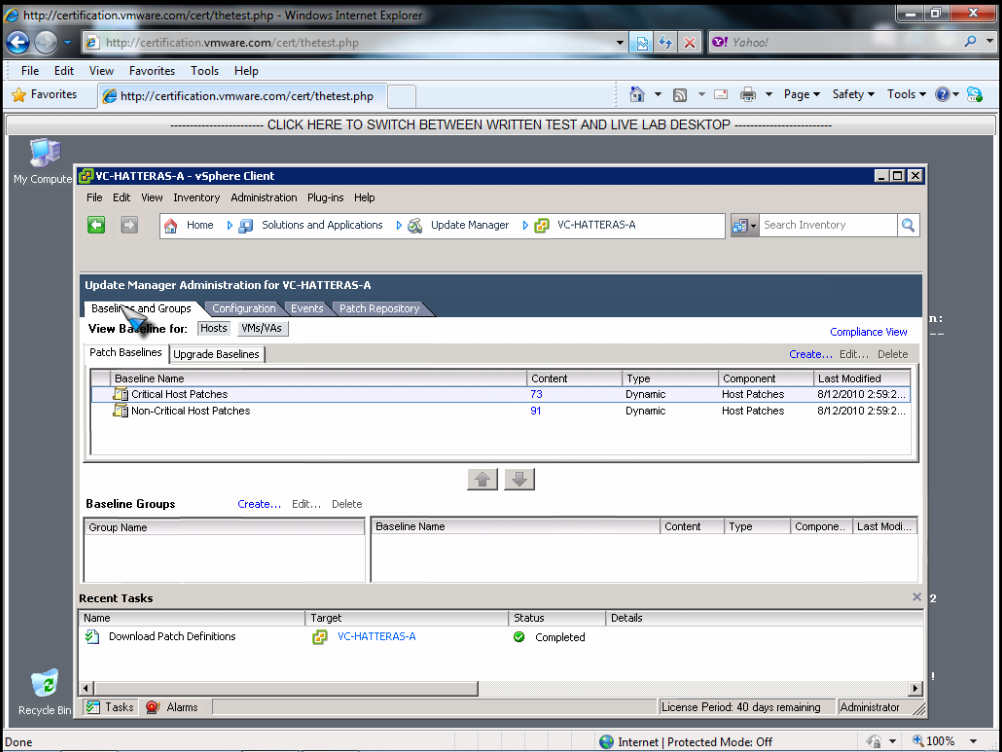
VMware has released the VCAP-DCA and VCAP-DCD Live Lab Tutorials which can help you prepare for the actual exam.
The VCAP4-DCA is directed toward System Administrators, Consultants and Technical Support Engineers who can demonstrate their skills in VMware vSphere and VMware vCenter technologies in relation to the datacenter, as well as their knowledge of application and physical-infrastructure services and their integration with the virtual infrastructure.
http://mylearn.vmware.com/courseware/82526/VCAPDCA_Tutorial.swf
The VCAP-DCD is directed toward IT Architects and Consulting Architects who are capable of designing VMware solutions in a multi-site, large enterprise environment. They have a deep understanding both of VMware core components and their relation to storage and networking, and also of datacenter design methodologies. They also possess knowledge of applications and physical infrastructure, as well as their relationship to the virtual infrastructure.
http://mylearn.vmware.com/courseware/82525/VCAPDCD_Tutorial.swf
Friday, October 15, 2010
Wednesday, October 13, 2010
Thursday, September 30, 2010
Wednesday, September 29, 2010
How CISCO UCS can help to Disaster and Recovery
Here is the video recording of Harpreet Singh presentation at Cisco booth at VMWorld 2010.
Part 1: http://www.youtube.com/watch?v=2R9oWMBOAow
Part 2: http://www.youtube.com/watch?v=9pEtR8eNUYI
Part 1: http://www.youtube.com/watch?v=2R9oWMBOAow
Part 2: http://www.youtube.com/watch?v=9pEtR8eNUYI
Friday, September 24, 2010
LANAMARK
Another datacenter capacity planning tool
http://www.lanamark.com/
I would like to install it and compare against Platespin Recon.
http://www.lanamark.com/
I would like to install it and compare against Platespin Recon.
Wednesday, September 22, 2010
Sunday, September 19, 2010
Microsoft NLB Cluster on VMware
Microsoft Resources:
http://support.microsoft.com/kb/323437
http://support.microsoft.com/kb/323431
VMware Resources
http://www.vmware.com/files/pdf/implmenting_ms_network_load_balancing.pdf
http://kb.vmware.com/selfservice/microsites/search.do?language=en_US&cmd=displayKC&externalId=1006580
http://kb.vmware.com/selfservice/microsites/search.do?language=en_US&cmd=displayKC&externalId=1556
http://support.microsoft.com/kb/323437
http://support.microsoft.com/kb/323431
VMware Resources
http://www.vmware.com/files/pdf/implmenting_ms_network_load_balancing.pdf
http://kb.vmware.com/selfservice/microsites/search.do?language=en_US&cmd=displayKC&externalId=1006580
http://kb.vmware.com/selfservice/microsites/search.do?language=en_US&cmd=displayKC&externalId=1556
Friday, September 17, 2010
Tuesday, September 14, 2010
Monday, August 30, 2010
Thursday, August 19, 2010
Tuesday, June 29, 2010
How to remove Cisco Nexus 1000V plugin
This is just a copy from original post at http://malaysiavm.com/blog/how-to-remove-cisco-nexus-1000v-plugin/
--- COPY STARTS HERE ---
6. In the Value of the Parameters table, paste “Cisco_Nexus_1000V_1850055053″ and click Invoke Method.
--- COPY STARTS HERE ---
The Cisco Nexus 1000V switch is a pure software implementation of a Cisco Nexus switch. It resides on a server and integrates with the hypervisor to deliver VN-Link virtual machine-aware network services. The Cisco Nexus 1000V switch takes advantage of the VMware vSphere vNetwork Distributed Switch framework to offer tightly integrated network services as part of both a server virtualization strategy and a broader data center virtualization strategy. In addition, the switch provides operations and management consistency with existing Cisco Nexus and Cisco Catalyst switches.
Here I would like to share how to remove Cisco Nexus 1000V Plugin
1. To view the extension key on the vCenter Server, open an Internet Browser, and enter the URL path http://
2. Authentication dialog box open, Enter the username and password and click OK
3. The Managed Object Browser (MOB) open the Service Instance page, in the value column of the Properties table, click Content
4. In the Value column of the Properties table, Click extensionManager OR you can open browser with URL http://localhost/mob/?moid=ExtensionManager
5. In the Methods table, click UnregisterExtension6. In the Value of the Parameters table, paste “Cisco_Nexus_1000V_1850055053″ and click Invoke Method.
Note: The actual value of “Cisco_Nexus_1000v_xxxxx” will wary. It should match the extension key from the Cisco_nexus_1000v_extension.xml file.
Enjoy!
Subscribe to:
Posts (Atom)